
What Is Wi-Fi Calling? How It Works With eSIMs and Abroad
Wi-Fi Calling is a carrier feature that lets your phone make and receive regular calls through an internet connection when cellular coverage is weak or unavailable. You still use your normal Phone app, mobile number and carrier service rather than a separate calling app.
It can also be useful abroad. On a compatible Dual SIM phone, you may keep your primary number active for supported calls and texts while using a travel eSIM for mobile data. Availability and charges still depend on your device and home carrier.
How Does Wi-Fi Calling Work?
Wi-Fi Calling connects your phone to your mobile carrier through the internet instead of relying only on a nearby cellular tower. Your carrier authenticates the active SIM or eSIM line and routes the call through its network, so the person you call normally sees your usual phone number.
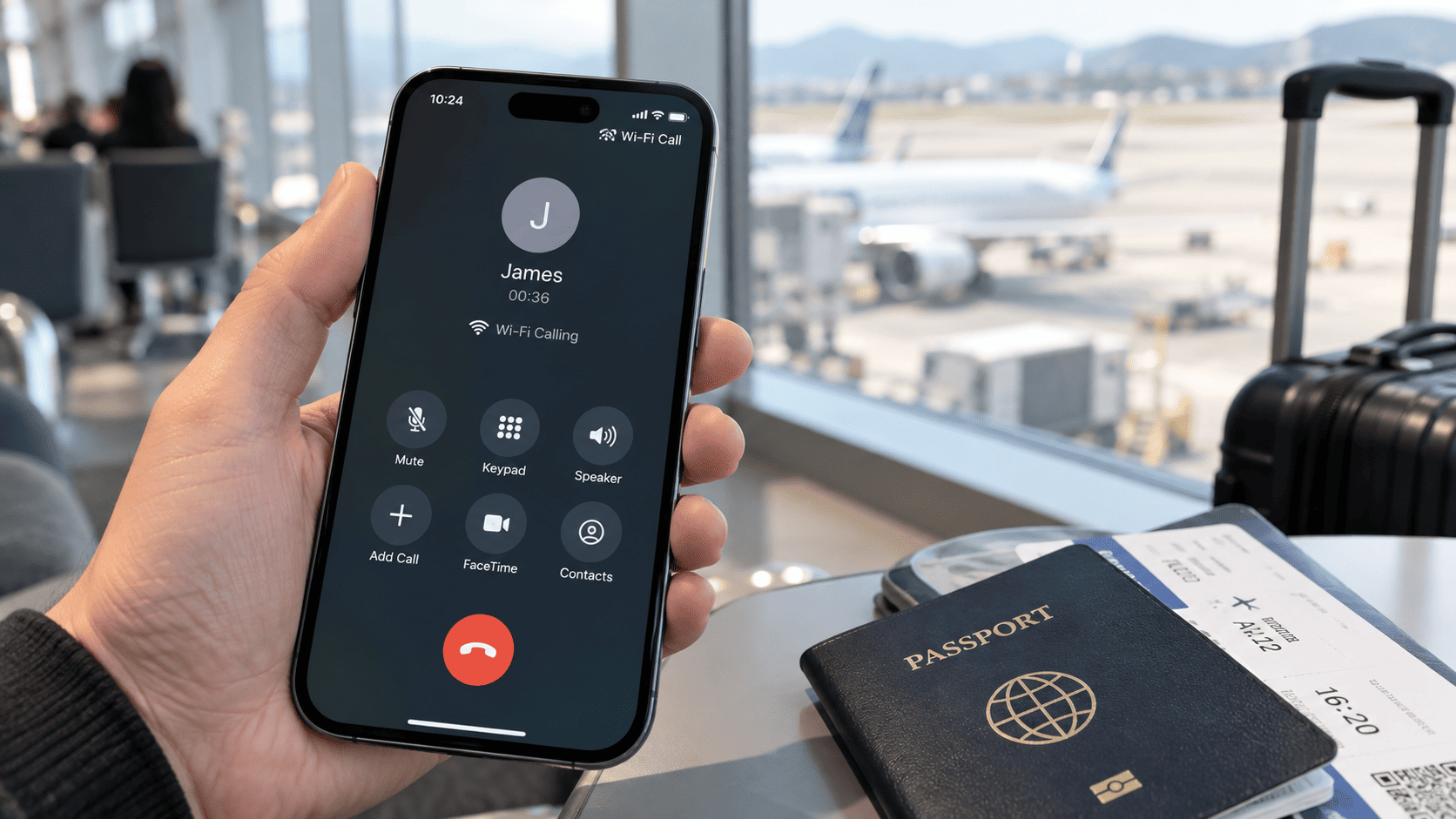
Your phone manages most of this automatically. If cellular reception is weak and a suitable internet connection is available, it may switch to Wi-Fi Calling without requiring a separate app. On supported devices, the status bar or Control Center may display Wi-Fi Calling, Wi-Fi Call or the carrier name followed by Wi-Fi.
Some carriers require you to register or confirm an emergency address before activating the feature. Support can also depend on your mobile plan, phone model and software version.
How Is Wi-Fi Calling Different From a Regular Phone Call?
A regular cellular call connects through a mobile network tower. Wi-Fi Calling uses an internet connection to reach the same carrier service.
From the user’s perspective, the experience is usually similar. You call from the normal Phone app, receive calls on your regular number and continue using your existing contacts. This is different from WhatsApp, FaceTime or Messenger calls, which are handled by those applications rather than your carrier’s calling service.
Does Wi-Fi Calling Use Wi-Fi or Mobile Data?
Wi-Fi Calling normally uses a connected Wi-Fi network. The call still uses internet data, but it is carried through the Wi-Fi connection rather than the cellular voice network.
On some Dual SIM phones, one line may also be able to use the cellular data connection of another SIM or eSIM for Wi-Fi Calling. For example, a travel eSIM may provide mobile data while the primary line remains connected to its home carrier for supported calls and messages.
This cross-SIM setup is not available on every phone or carrier. The amount of data used also varies by call type and duration, so travelers should not assume that Wi-Fi Calling through a travel eSIM uses no data.
Does Wi-Fi Calling Work With an eSIM?
Yes. Wi-Fi Calling can work with an eSIM in the same way it works with a physical SIM, provided that the device and mobile carrier support the feature for that line.
An eSIM changes how the mobile subscription is stored on the phone. It does not automatically add or remove carrier features such as a phone number, calls, SMS or Wi-Fi Calling. Those services depend on the plan attached to the eSIM.
If your carrier supports Wi-Fi Calling, you can normally enable it for an eSIM line through the phone’s cellular or mobile network settings.
Can Wi-Fi Calling Use Data From a Travel eSIM?
On some compatible Dual SIM devices, your primary line may use a travel eSIM’s cellular data connection for Wi-Fi Calling when the primary line has no usable cellular connection.
A typical arrangement is:
- Primary line: your regular number and home carrier service.
- Travel eSIM: the line selected for mobile data abroad.
- Wi-Fi Calling: enabled for the primary line when supported.
Apple documents that, in supported Dual SIM configurations, one line can use the other line’s cellular data while Wi-Fi Calling is enabled. However, this behavior depends on the carriers and settings involved, and it may require Allow Cellular Data Switching. You can review the details in Apple’s Dual SIM guidance.
Because cellular data switching can affect how each line uses data, do not enable it abroad without checking your home carrier’s roaming rules and confirming which line is selected for mobile data. If you are unsure, using Wi-Fi is the simpler and more predictable way to access Wi-Fi Calling.
Can You Keep Your Primary Number While Using a Travel eSIM?
Yes. On a Dual SIM-compatible phone, a travel eSIM is normally added as a separate line and does not replace the number attached to your primary SIM or eSIM.
You can select the travel eSIM for mobile data while leaving the primary line active for your normal number. Calls, SMS and verification messages on the primary line remain subject to your home carrier’s coverage, Wi-Fi Calling support and roaming charges.
If you need a clearer explanation of which travel plans include calls or a number, see VIA eSIM’s guide to how data-only eSIMs work with your existing phone number.
Does Wi-Fi Calling Work Abroad?
Wi-Fi Calling can work abroad if your home carrier permits international use and the feature was activated correctly for your line. Some carriers support it in many destinations, while others restrict particular countries, plans or devices.
When it works, your phone connects to the home carrier through the internet rather than depending on a foreign cellular voice network. This may allow you to make and receive supported calls on your usual number while outside your home country.
Enable and test Wi-Fi Calling before departure. Some carriers require the feature to be activated while the phone is still connected to the home network, so waiting until arrival may be too late.
Can You Make Calls and Send Texts Abroad With Wi-Fi Calling?
In many cases, yes. You normally use the same Phone and Messages apps you use at home. Supported calls and messages are routed through the internet while remaining connected to your carrier account and regular number.
However, calls, SMS, MMS, verification messages and emergency services are not handled identically by every carrier. A working voice call does not guarantee that every type of text message will also arrive through Wi-Fi Calling.
Can Wi-Fi Calling Help Avoid Roaming Charges?
Wi-Fi Calling may reduce some cellular roaming usage, but it does not guarantee that every call or message will be free.
The key distinction is:
- Connection: whether the call uses Wi-Fi, another SIM’s data or a foreign cellular network.
- Billing: how the home carrier prices the number and destination being called.
If the Wi-Fi Calling indicator is visible, the call is being routed through the supported internet connection. If the phone falls back to a foreign cellular network, normal roaming rules may apply.
Keeping Data Roaming turned off on the primary line can help prevent it from using international mobile data. The travel eSIM should be selected for cellular data and configured according to its activation instructions. VIA eSIM’s guide to data roaming settings for a travel eSIM explains how to separate the two lines and reduce the risk of unexpected usage.
Does Wi-Fi Calling Cost Money?
Wi-Fi Calling is often included as a carrier feature, but the calls you make can still be billed according to your mobile plan. Using Wi-Fi changes how the call reaches the carrier; it does not automatically change the carrier’s pricing rules.
A call to a number in your home country may be treated like a domestic call, while a call to another country may still incur international calling charges. For example, Verizon’s Wi-Fi Calling guidance distinguishes calls to US numbers from calls to other countries while the customer is abroad. Other carriers can apply different rules.
There may also be separate costs for the internet connection. A hotel, airport or airline may charge for Wi-Fi access. If a supported phone uses a travel eSIM’s mobile data for Wi-Fi Calling, the call can consume data from that travel plan.
Before making long or frequent calls abroad, check:
- whether your carrier supports Wi-Fi Calling in the destination;
- how calls to your home country are billed;
- how calls to the country you are visiting are billed;
- whether the phone can fall back to cellular service;
- and whether your Wi-Fi or mobile data connection has separate costs.
Seeing a Wi-Fi Calling indicator confirms the connection method, not that the call is free.
Can You Use Wi-Fi Calling in Airplane Mode?
Yes. Wi-Fi Calling can work while Airplane Mode remains enabled if you manually turn Wi-Fi back on, connect to the internet and your carrier supports Wi-Fi Calling.
A typical setup is:
- Turn on Airplane Mode.
- Turn Wi-Fi back on.
- Connect to a Wi-Fi network.
- Wait for the Wi-Fi Calling indicator.
- Use the normal Phone app.
Airplane Mode prevents the phone from connecting to foreign cellular networks while it remains enabled. It does not make carrier calls automatically free, and Wi-Fi Calling may not work on every public or onboard Wi-Fi network.
For a complete explanation of calls, texts and roaming in this setup, read what Airplane Mode turns off and how Wi-Fi still works.
How to Turn On Wi-Fi Calling
Wi-Fi Calling must be supported by your phone and carrier and enabled for the correct SIM or eSIM line. Update your phone before setup and, if possible, activate and test the feature while you are still in your home country.
How to Enable Wi-Fi Calling on iPhone
On current iPhones, the usual steps are:
- Open Settings.
- Tap Cellular or Mobile Service.
- If you use multiple SIMs, select the line you want to use.
- Tap Wi-Fi Calling.
- Turn on Wi-Fi Calling on This iPhone.
- Confirm an emergency address if requested.
When the feature is active, the carrier name and Wi-Fi may appear in Control Center. Apple provides the current setup and troubleshooting steps in its official Wi-Fi Calling instructions.
Menu names can vary slightly by iOS version, region and carrier. On a Dual SIM iPhone, make sure you are changing the settings for the intended line.
How to Enable Wi-Fi Calling on Android
Android menu names vary by phone manufacturer and carrier. A common route is:
- Open Settings.
- Go to Network & Internet, Connections or Mobile Network.
- Select the relevant SIM or eSIM.
- Find Wi-Fi Calling.
- Turn the feature on.
On some Samsung phones, the option appears under Settings > Connections or inside the Phone app’s call settings. If you cannot find it, search for Wi-Fi Calling inside the Settings app.
Google notes that the option may not appear when the carrier does not support the feature. See Google’s official guide to making calls over Wi-Fi for the standard Android route.
Why Is Wi-Fi Calling Not Working?
Wi-Fi Calling can fail because of the carrier, device, account, network or line settings. Work through these checks before changing or deleting an eSIM:
- Confirm that the correct line is active. On a Dual SIM phone, Wi-Fi Calling may be enabled for one line but not the other.
- Check carrier support. The phone may support Wi-Fi Calling even when the carrier, plan or destination does not.
- Test another Wi-Fi network. Public networks, captive portals, congestion or weak signal can prevent the service from registering correctly.
- Restart the connection. Turn Wi-Fi Calling off and on again, reconnect to Wi-Fi and restart the phone if necessary.
- Update the phone. Install available operating-system and carrier-settings updates.
- Review account requirements. Your carrier may require an emergency address, HD Voice or another account feature.
- Consider international restrictions. A carrier may allow Wi-Fi Calling at home but restrict activation or usage in certain destinations.
Avoid deleting an eSIM as an early troubleshooting step. Some profiles or activation codes cannot be downloaded again without help from the provider.
Wi-Fi Calling vs eSIM: What Is the Difference?
Wi-Fi Calling and eSIM are different technologies, although they can work together.
- Wi-Fi Calling controls how supported carrier calls and messages connect when an internet connection is used.
- An eSIM stores a mobile subscription digitally and determines which mobile plan your phone can connect to.
An eSIM does not automatically enable Wi-Fi Calling, and Wi-Fi Calling does not give your phone a mobile data plan. Each feature must be supported and configured separately.
They become useful together during travel. A home SIM or eSIM can remain attached to the traveler’s regular number, while a separate travel eSIM provides cellular data abroad. Wi-Fi Calling may then keep the home line reachable through Wi-Fi or, on certain supported configurations, through the travel line’s data connection.
How Does Wi-Fi Calling Work With a VIA eSIM?
VIA eSIM provides travel mobile data. It does not replace your home carrier’s phone number or control whether that carrier supports Wi-Fi Calling.
On a compatible Dual SIM phone, you can select VIA eSIM as the cellular data line and keep the primary SIM or eSIM active for your regular number. When the phone is connected to Wi-Fi, the primary line may use its carrier’s Wi-Fi Calling service. Some supported devices and carriers may also allow that line to use VIA eSIM’s cellular data connection, but this should be confirmed before relying on it abroad.
The responsibilities of each service remain separate:
- VIA eSIM: provides mobile data according to the selected package, destination and validity period.
- Your home carrier: controls the primary number, Wi-Fi Calling availability, calls, SMS and billing.
- Your phone: controls which line uses mobile data and whether the two lines can work together.
This arrangement can be useful during winter trips to destinations such as Vienna, Prague or Switzerland. Hotel or airport Wi-Fi may keep your primary number reachable indoors, while VIA eSIM provides mobile data when you leave the Wi-Fi network.
Before departure, enable and test Wi-Fi Calling on the primary line, install the travel eSIM according to its instructions and confirm which line is selected for mobile data. If the trip covers several countries, compare the coverage of local, regional and global eSIM plans before choosing a package.
Frequently Asked Questions About Wi-Fi Calling
Does Wi-Fi Calling Work Without Cellular Service?
Yes. Wi-Fi Calling can work with little or no cellular signal when the phone has a usable internet connection and the carrier supports the feature for the active line.
The carrier subscription must still be active. Wi-Fi replaces the cellular connection used to reach the carrier, not the mobile account itself.
Can I Receive SMS Verification Codes With Wi-Fi Calling?
Sometimes. If your carrier supports SMS through Wi-Fi Calling, standard text messages and verification codes may reach your primary number over Wi-Fi.
Support varies by carrier, device and the service sending the code. A data-only travel eSIM cannot receive a verification SMS sent to your primary number. If access is important, test it before departure and keep an alternative verification method available.
Does Wi-Fi Calling Drain Battery?
Wi-Fi Calling does not normally cause heavy battery drain by itself. Battery use depends on call length, Wi-Fi quality, cellular signal strength, background activity and Dual SIM usage.
In weak coverage areas, a stable Wi-Fi connection may reduce how often the phone searches for a cellular signal, but the result varies between devices and conditions.
Can I Leave Wi-Fi Calling On All the Time?
Yes. In most cases, you can leave Wi-Fi Calling enabled. The phone and carrier decide when to use Wi-Fi and when to use the cellular network.
While traveling, confirm that the Wi-Fi Calling indicator is visible before assuming a call is using Wi-Fi. Leaving the feature enabled does not override your carrier’s international calling or roaming rules.
The Bottom Line
Wi-Fi Calling allows supported carrier calls and messages to use an internet connection while keeping your regular number and Phone app. It can be especially useful in buildings with weak cellular coverage and during international travel, but availability and charges depend on your device and home carrier.
A travel eSIM and Wi-Fi Calling can complement each other without performing the same job. VIA eSIM supplies mobile data, while your primary carrier remains responsible for your number, calls, messages and Wi-Fi Calling service.
Before traveling, activate and test Wi-Fi Calling, check your carrier’s international policy and configure the two SIM lines carefully. You can then explore VIA eSIM plans for your destination and choose the data coverage that matches your trip.